Documentation Index
Fetch the complete documentation index at: https://cubed3-docs-cub-2416-update-semantic-snowflake-semantic-vie.mintlify.app/llms.txt
Use this file to discover all available pages before exploring further.
Embed any dashboard into your application using an iframe. Dashboards can be embedded with either authentication mode:
- Private embedding — for internal users with Cube accounts (e.g., embedding in Notion, Salesforce, internal tools)
- Signed embedding — for external/customer-facing applications using server-generated sessions
Embed with private embedding
To embed a dashboard for internal users:
- Open your dashboard in Cube
- Click Share → Embed
- Copy the generated iframe code
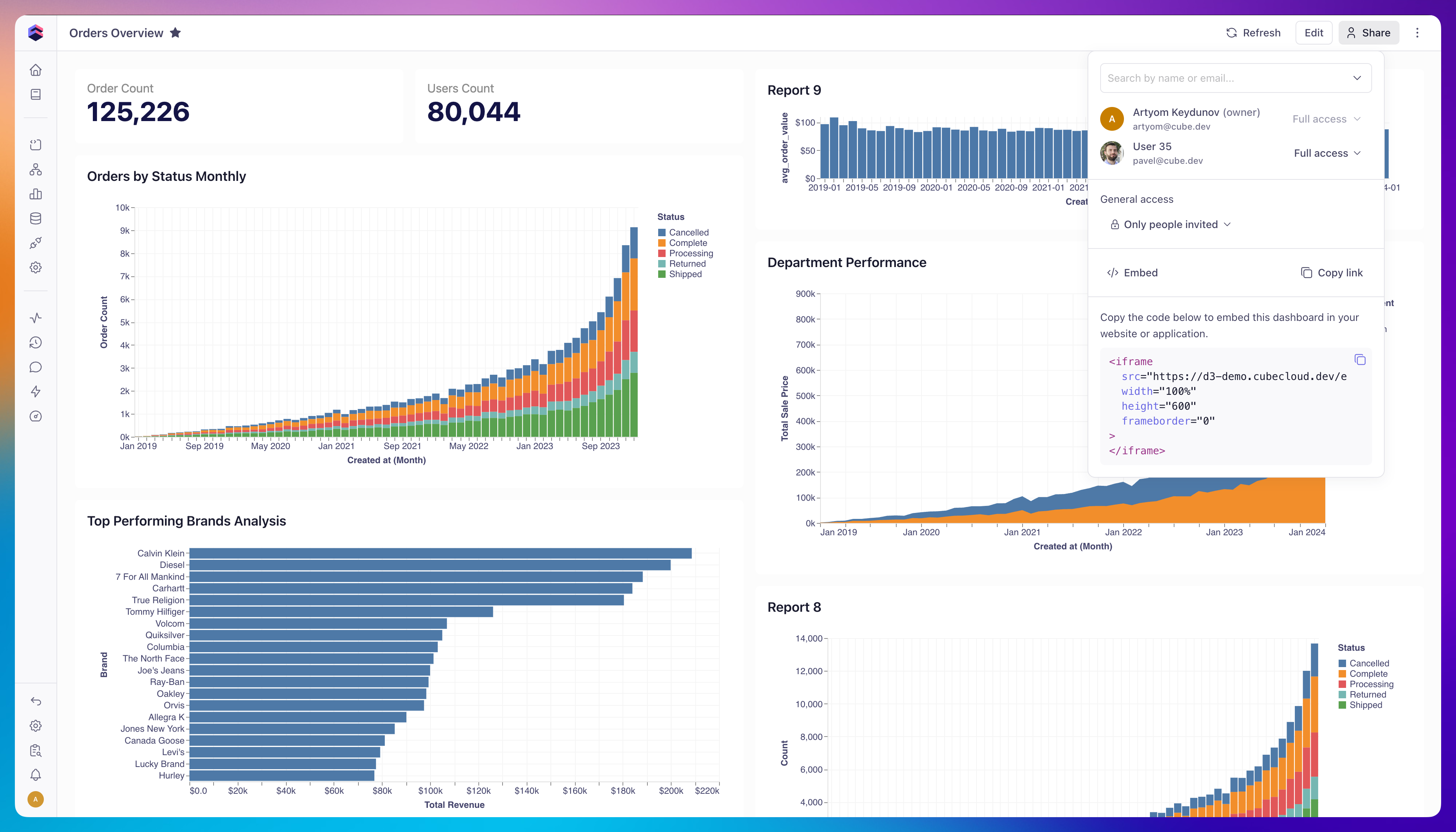 Then paste the iframe code into your application:
<iframe
  title="Dashboard"
  src="https://your-account.cubecloud.dev/embed/dashboard/YOUR_DASHBOARD_PUBLIC_ID"
  width="100%"
  height="800"
></iframe>
Embed with signed embedding
To embed a dashboard for external/customer-facing applications, generate a session on your backend and pass the session ID into the iframe:
<iframe
  title="Dashboard"
  src="https://your-tenant.cubecloud.dev/embed/dashboard/YOUR_DASHBOARD_PUBLIC_ID?session=YOUR_SESSION_ID"
  width="100%"
  height="800"
></iframe>
Pre-set dashboard filters via URL
You can pre-set dashboard filter values by adding URL parameters in the format
?f_<semantic_view>.<dimension>=<JSON>. The <semantic_view> and <dimension>
must match the internal names (not display titles) of the semantic view and
dimension configured on the filter widget. If the filter type is omitted, it
defaults to equals.
Example:
https://your-tenant.cubecloud.dev/embed/dashboard/YOUR_DASHBOARD_PUBLIC_ID?session=YOUR_SESSION_ID&f_orders_transactions.users_country={"value":"USA"}
Customize appearance
You can style an embedded dashboard — background, padding, widget borders, titles, and fonts — from the Styling panel in the Dashboard Builder. See Dashboards → Styling for the full list of options.
